Skip to content

Concept buildA worked example of how we would build this for a typical business. Not client work: no client, no client data, no achieved results.

Workflow Automation

Concept build

Booking, Reminder and Intake Flows for a Multi-doctor Clinic

A concept build showing how we would automate the admin around each appointment at a multi-doctor clinic: booking, reminders, intake, follow-up and reporting. It would sit on top of the clinic management software the team already uses, carry appointment logistics only and leave every clinical decision with the clinic.

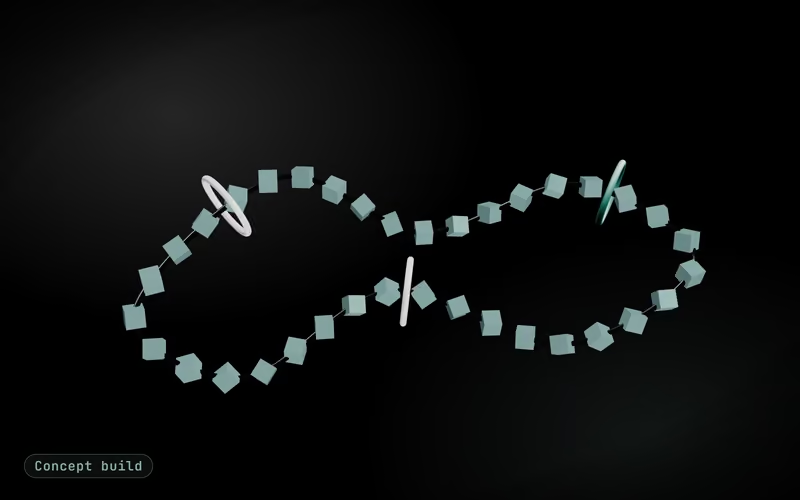
Concept build cover: appointment tokens riding a curved track through booking, reminder and intake stationsConcept build
Built for
A typical multi-doctor clinic
Industry
Healthcare
Typical timeline
3-5 weeks from journey mapping to full handover

The brief

The problem this concept answers

A typical multi-doctor clinic runs its patient journey by hand. Front-desk staff take bookings by phone, call out reminders, chase intake forms and schedule follow-ups from memory and sticky notes. That takes a large share of every front-desk week, and patients still miss appointments when a reminder call does not happen. Each gap costs the clinic a slot and pulls attention away from the people in the waiting room.

In the first version

  • Online booking with same-day confirmation
  • SMS and email reminders with one-tap reschedule
  • Digital intake forms before the visit
  • Follow-up and recall reminders on timers
  • A front-desk exception queue and a reminder dashboard

Left out on purpose

  • Clinical decisions, triage or medical advice of any kind
  • Moving records out of the clinic software
  • Billing and insurance claims in the first version

Design decisions

  • Privacy design: HIPAA-aware, minimum data

    Messages carry appointment logistics only. Intake answers go straight into the clinic’s own system, integrations use the narrowest access each step needs, and every automated action is written to an audit trail the clinic can review. This is a HIPAA-aware design, not a compliance certification.

  • Automation proposes, the front desk decides

    Double bookings, unusual requests and anything a rule cannot place go to the exception queue instead of being resolved automatically. Staff see why each case landed there, which keeps the queue small and trusted.

Explainer

The build in seven slides

Watch the narrated video, step through the slides or read the transcript.

Explainer · 7 slides · about 42 s

Concept build

Concept build: Booking, Reminder and Intake Flows for a Multi-doctor Clinic

Concept build, explained in 7 slides: a concept build showing how we would automate the admin around each appointment at a multi-doctor clinic: booking, reminders, intake, follow-up and reporting.

Concept build: Booking, Reminder and Intake Flows for a Multi-doctor ClinicConcept build

Workflow automation

Booking, Reminder and Intake Flows for a Multi-doctor Clinic

A concept build showing how we would automate the admin around each appointment at a multi-doctor clinic: booking, reminders, intake, follow-up and reporting.

Concept build: Booking, Reminder and Intake Flows for a Multi-doctor ClinicConcept build

The problem

What a typical multi-doctor clinic is up against

A typical multi-doctor clinic runs its patient journey by hand. Front-desk staff take bookings by phone, call out reminders, chase intake forms and schedule follow-ups from memory and sticky notes. That takes a large share of every front-desk week, and patients still miss appointments when a reminder call does not happen.

Concept build: Booking, Reminder and Intake Flows for a Multi-doctor ClinicConcept build

The approach

How we would build it, in 5 steps

  • Journey mapping
  • Booking and reminder automation
  • Intake and follow-up flows
  • Integration with existing systems
  • Staff handover and monitoring
Concept build: Booking, Reminder and Intake Flows for a Multi-doctor ClinicConcept build

Architecture

How the pieces connect

Diagram: Online booking to Workflow engine (new booking); Intake forms to Workflow engine (form answers); Workflow engine to SMS + email (reminders); Workflow engine to Front-desk queue (exceptions); Workflow engine to Clinic calendar (confirmed slot); Workflow engine to Clinic software (intake data).

Diagram with 7 parts: Online booking (source), Intake forms (source), Workflow engine (processing), SMS + email (processing), Front-desk queue (human), Clinic calendar (system of record), Clinic software (system of record).

Connections:

  • Online booking → Workflow engine (new booking)
  • Intake forms → Workflow engine (form answers)
  • Workflow engine → SMS + email (reminders)
  • Workflow engine → Front-desk queue (exceptions)
  • Workflow engine → Clinic calendar (confirmed slot)
  • Workflow engine → Clinic software (intake data)
Concept build: Booking, Reminder and Intake Flows for a Multi-doctor ClinicConcept build

Demo · sample run

Sample data

One appointment, from booking to the exception queue

Scenario: One appointment, from booking to the exception queue

  1. Patient books onlineThe slot lands in the clinic calendar and a confirmation email goes out.Done
  2. Reminders on a timerSMS reminders 24 hours and 1 hour before the slot, each with a reschedule link.Done
  3. Patient taps rescheduleThe old slot is released and the patient picks a new time instead of not showing.Done
  4. Intake form before arrivalThe digital intake form is completed ahead, so the consultation starts on time.Done
  5. A case the rules cannot placeIt goes to the front-desk exception queue for a human decision.Handed to a person
Concept build: Booking, Reminder and Intake Flows for a Multi-doctor ClinicConcept build

Typical targets

What we would measure it against

  • Typical target50-80% less manual handling time on the mapped stepsBasis: Rests on the share of mapped steps that are rule-based; compared with the timed manual baseline
  • Typical target10-25% fewer no-shows on reminded appointmentsBasis: Reminders reach the no-shows caused by forgetting or a clash; measured against four weeks of your own baseline
  • Typical targetEvery booking confirmed the same day, automaticallyBasis: Design property: the confirmation is a required step of the booking flow, sent by its trigger rather than by staff
  • Typical targetConsultations start on time with intake completed before arrivalBasis: The share of intake forms completed before arrival, tracked from the forms tool during the pilot
Concept build: Booking, Reminder and Intake Flows for a Multi-doctor ClinicConcept build

Next step

Scope a build like this for your business

A free call to map your workflow, data and the first version.

Book a Strategy CallFree 30-minute call · no commitment

Slide 1 of 7

Architecture

How the pieces connect

  • Online booking· channel
  • Intake forms· channel
  • Workflow engine· processing
  • SMS + email· processing
  • Front-desk queue· person
  • Clinic calendar· system of record
  • Clinic software· system of record
Show the architecture diagram

Architecture of the Booking, Reminder and Intake Flows for a Multi-doctor Clinic concept: Online booking → Workflow engine (new booking); Intake forms → Workflow engine (form answers); Workflow engine → SMS + email (reminders); Workflow engine → Front-desk queue (exceptions); Workflow engine → Clinic calendar (confirmed slot); Workflow engine → Clinic software (intake data).

Diagram with 7 parts: Online booking (source), Intake forms (source), Workflow engine (processing), SMS + email (processing), Front-desk queue (human), Clinic calendar (system of record), Clinic software (system of record).

Connections:

  • Online booking → Workflow engine (new booking)
  • Intake forms → Workflow engine (form answers)
  • Workflow engine → SMS + email (reminders)
  • Workflow engine → Front-desk queue (exceptions)
  • Workflow engine → Clinic calendar (confirmed slot)
  • Workflow engine → Clinic software (intake data)

Connections

  1. Online booking → Workflow engine (new booking)
  2. Intake forms → Workflow engine (form answers)
  3. Workflow engine → SMS + email (reminders)
  4. Workflow engine → Front-desk queue (exceptions)
  5. Workflow engine → Clinic calendar (confirmed slot)
  6. Workflow engine → Clinic software (intake data)

Sample run

One run, step by step

One appointment, from booking to the exception queueSample data
  1. Patient books onlineRoutine

    The slot lands in the clinic calendar and a confirmation email goes out.

  2. Reminders on a timerRoutine

    SMS reminders 24 hours and 1 hour before the slot, each with a reschedule link.

  3. Patient taps rescheduleRoutine

    The old slot is released and the patient picks a new time instead of not showing.

  4. Intake form before arrivalRoutine

    The digital intake form is completed ahead, so the consultation starts on time.

  5. A case the rules cannot placeA person takes over

    It goes to the front-desk exception queue for a human decision.

Build plan

How we would build it

Typical timeline
3-5 weeks from journey mapping to full handover
Stack
  • Custom workflows / Zapier
  • Twilio SMS
  • Clinic calendar API
  • Digital intake forms
  • Clinic software integration
  • Email automation
  1. Journey mapping

    We would follow the current process end to end, from the first phone call to the post-visit follow-up, and record each manual step, who does it and where things fall through. Each step is timed, and the map sets the order of work: high-volume, low-judgement steps first.

  2. Booking and reminder automation

    Online booking would connect to the clinic calendar, and each confirmed appointment would trigger a confirmation email and SMS reminders 24 hours and 1 hour before the slot. A one-tap reschedule link turns a clash into a rebooking instead of a no-show.

  3. Intake and follow-up flows

    Patients would receive digital intake forms before arrival, so consultations start on time with the information already captured. After the visit, follow-up scheduling, feedback requests and recall reminders run on their own timers rather than on staff memory.

  4. Integration with existing systems

    Everything would connect to the clinic management software already in use, with no replacement and no double entry. Data in transit is kept to the minimum, each integration gets the narrowest access it needs, and every automated action is written to an audit trail.

  5. Staff handover and monitoring

    We would train the front desk on the exception queue, the small set of cases the automation flags for a person, and hand over a dashboard of reminder delivery, confirmations and no-show trends, so the clinic can see the system working.

Typical targets

What we would measure it against

Targets for a typical business of this kind, not achieved results. A real project measures its own baseline first.
  • Typical target

    50-80% less manual handling time on the mapped steps

    Basis: It rests on the share of mapped steps that are rule-based (copying, chasing, reminding) rather than judgement calls. Compared with the timed manual baseline recorded during mapping; free-form exceptions stay with your team.

  • Typical target

    10-25% fewer no-shows on reminded appointments

    Basis: Moving from no or manual reminders to automated reminders with one-tap rescheduling; reminders reach no-shows caused by forgetting or a clash. Measured against at least four weeks of your own no-show rate before launch.

  • Typical target

    Every booking confirmed the same day, automatically

    Basis: Design property: the confirmation is a required step of the booking flow, sent by its trigger rather than by staff

  • Typical target

    Consultations start on time with intake completed before arrival

    Basis: The share of intake forms completed before arrival, tracked from the forms tool during the pilot

Your project

What a real project adds

  • A measured baseline

    Your current process timed and written down step by step, so every target has a starting point you agree with.

  • Scoped credentials per integration

    Each connection gets its own least-privilege key in your accounts, with rotation and revocation documented.

  • Failure handling you can see

    Retries with backoff, a dead-letter list and an exception queue owned by a named person, so nothing fails silently.

  • A runbook for your team

    How to pause a flow, replay a failed run and change a step without waiting for us.

Decisions this concept leaves for scoping

  • Clinical decisions, triage or medical advice of any kind
  • Moving records out of the clinic software
  • Billing and insurance claims in the first version

FAQ

Questions about this build

Was this clinic automation built for an actual clinic?

No. It is a concept build: a worked example of how we approach clinic automation for a typical multi-doctor practice. No clinic, patient or schedule is shown, the sample run uses roles instead of names, and the outcomes are typical targets with the baseline they would be measured against.

What patient data does the clinic automation touch?

As little as each step needs. The workflows carry appointment logistics, every integration’s access is scoped to its job, and records stay inside the clinic’s existing system rather than being copied into new tools.

Does the clinic have to replace its existing software?

No. The automation layer connects to the calendar and clinic management tools already in place. The goal is to remove manual steps, not to force a migration.

What do the reminder messages say, and can patients stop them?

A reminder carries the clinic name, the date and time, the doctor’s name if the clinic wants it, and a reschedule link. It never mentions a diagnosis, a test or a treatment. Every message includes a way to opt out, and an opt-out is recorded at once so no further reminders go to that number.

What if our clinic software has no API to connect to?

Then the first version works around it rather than through it: bookings and intake answers land in a shared calendar and a secure form store that staff copy from, and we document exactly which steps stay manual. We would not scrape a clinical system’s screens, because a layout change could silently break patient records.

Worked examples

More concept builds for this service

Concept builds are worked examples, not client work.

See all concept builds
Concept build

Workflow Automation

Invoice Intake and Approval Workflow for a UK Finance Team

A concept build for the finance team of a UK small or mid-sized business that keys supplier invoices into its cloud accounting system by hand. Invoices arriving by email are read into structured fields with a confidence score, matched to purchase orders, approved in team chat by the budget owner and posted to the accounting system, while anything that does not match lands in an exception queue with the reason attached.

  • Finance and accounting
  • UK market
  • Oct 2026
Concept build

Workflow Automation

New-hire Onboarding Workflow for a Growing Startup

A concept build for an Indian startup that hires every month and runs onboarding from one person’s memory and a long checklist. A signed offer starts a workflow that creates the email and team-chat accounts, raises the laptop ticket, shares a day-1 checklist and books the 30-day check-in. When a step fails, it retries and tells that step’s owner instead of failing silently.

  • Startups
  • India market
  • Oct 2026
Concept build

Workflow Automation

Claim Intake Triage for an Insurance Broker

A concept build for an independent insurance agency in the US, the broker between its policyholders and several carriers, that receives first notices of loss by email and web form with photos and documents attached. Intake reads each claim into a structured record, checks it against a completeness checklist for that line of business, asks the policyholder for anything missing right away, and queues complete files for an adjuster. The AI never decides coverage.

  • Insurance
  • US market
  • Oct 2026

Next step

Have a workflow in mind? Let’s scope it together.

Book a free 30-minute strategy call. Bring one process you want to automate and we will talk through scope, integrations and a sensible first step.

Free 30-minute call · no commitment

Send an RFP or security questionnaire